


What are specifications in technology? They are measurable details that describe a device, software product, or electronic component. These details, often called technology specifications, include processing power, memory, storage, display quality, and connectivity options.
Technical specifications help consumers compare products effectively. By evaluating these metrics, you can determine compatibility and estimate performance. This knowledge helps you avoid paying for unnecessary features.
This article offers a practical approach to reading device specifications. Read numbers in context instead of judging them alone. This knowledge helps you choose devices that meet your needs.
Key Takeaways
- Specifications describe key attributes of devices and software.
- They help consumers compare products and assess compatibility.
- Understanding specifications aids in estimating performance.
- Contextual interpretation of numbers is essential.
- Knowledge of specifications prevents overspending on features.
What Are Specifications in Technology
These technology product specifications describe a product’s capabilities, limits, and operating requirements. They are essential documents for manufacturers and consumers. Understanding them helps both groups use and evaluate technology.
Technical specifications list measurable device features, including processor speed, screen resolution, Wi-Fi versions, and charging protocols. This technical data helps devices work correctly and meet user expectations.
Defining Technical Specifications in Modern Devices
In modern devices, technical specifications serve as a blueprint. They describe components, compatibility, and device requirements for strong performance. For example, a smartphone sheet may list processor type, RAM, storage capacity, and battery life, helping consumers judge their needs.
Specifications also include product dimensions and weight. This data matters to users who value portability or certain design styles. These technical details guide informed technology purchases.
The Role of Specifications in Product Development
Manufacturers rely heavily on specifications during product development. From design through testing, specifications support quality control and regulatory compliance. They give engineers and designers a framework for meeting market demands.
During testing, specifications help verify that products perform as intended. For example, a laptop’s cooling system must meet specific thermal specifications to prevent overheating. Following these standards helps manufacturers produce reliable, efficient devices.
Related Posts:
- What Is MuleSoft Technology? How It Connects…

- Is Language a Technology? Exploring the Relationship…

- De-Hy Technology An Overview of Dehydration Technology

- How to Become a Technology Architect A Step-by-Step…

- Is Technology Important in Education Benefits and Challenges

- What Is Medical Technology Innovations in Healthcare

Why Specifications Matter to Everyday Consumers
For a new laptop or smartphone, consumers use product comparison and technical data to find the best fit. This helps them assess performance, durability, and value for money.
Specifications do not guarantee real-world performance. A listed feature shows what a product supports under specific conditions, but software, settings, workload, and environment can change results. Consumers should consider both specifications and user reviews when making purchases.
The Core Categories of Tech Specifications
Technology specifications may seem difficult, but core categories make them easier to understand. Devices usually have two main types: hardware and software. Both categories affect how devices work and perform.
Hardware vs. Software Specifications
Hardware specifications describe a device’s physical components. They include processors, memory, storage, displays, ports, cameras, speakers, sensors, and construction materials. For a laptop, CPU and RAM specifications directly affect speed and efficiency.
By contrast, software specifications cover the operating system, supported applications, file formats, APIs, and security features. They also explain update policies and minimum system requirements. These details show how well software will run on a specific hardware setup.
Physical Build and Performance Metrics
When comparing devices, separate physical measurements from performance metrics. Physical measurements include weight, dimensions, and screen size. These details are simple and give you a clear sense of a device.
Performance metrics show how well a device works under different conditions. They include benchmark scores, transfer rates, and battery endurance. A smartphone may weigh less than a tablet, yet its performance metrics may show greater processing power for certain tasks.
Industry Standards and Proprietary Measurements
Specifications may also depend on industry standards and proprietary measurements. Terms such as USB and HDMI are widely known industry standards. They help consumers understand compatibility and function.
Other terms may belong to one manufacturer, which can cause confusion.
As you research, check each specification’s definitions, testing conditions, and units. This understanding helps you make informed comparisons and navigate the tech landscape more effectively. Remember, “A well-informed consumer is an empowered consumer.”
Hardware Specifications: Processing Power and Memory
CPU specifications show the parts that drive a computer’s efficiency. Understanding them helps users choose devices for gaming, work, or daily use.
CPU Specifications: Cores, Clock Speed, and Architecture
The central processing unit (CPU) acts as a computer’s brain. CPU specifications include cores, clock speed, and architecture, which shape system performance. More cores improve multitasking, but some applications gain little from extra cores.
Understanding Intel, AMD, and Apple Silicon Processors
Intel processors and AMD processors lead the market with different designs and performance strengths. Intel processors often deliver strong single-core performance for tasks needing high clock speeds. AMD processors often provide better multi-core performance at competitive prices.
Apple Silicon offers impressive efficiency and performance, especially with software built for its architecture. Each brand has strengths, so users should choose according to their intended tasks.
Multi-Core Performance and Thermal Design Power
Multi-core performance matters for applications that use parallel processing. Thermal design power (TDP) also helps maintain performance during demanding work. A higher TDP can signal a stronger CPU, but it needs better cooling to prevent overheating.
RAM and Storage: Capacity and Speed
Random Access Memory (RAM) affects responsiveness and multitasking. Higher RAM capacity supports smoother operation with several applications open. RAM speed, measured in megahertz (MHz), also affects performance through faster data access.
DDR4 vs. DDR5 Memory Standards
DDR4 memory served as the standard for several years, while DDR5 memory is gaining ground. DDR5 memory provides more bandwidth and better power efficiency for high-performance systems. However, users must check motherboard compatibility before upgrading.
SSD vs. NVMe Storage Technologies
Storage technology has advanced, with Solid State Drives (SSDs) accessing data faster than traditional hard drives. NVMe drives use the PCIe interface to reach even higher speeds. The choice between SSD storage and NVMe affects file transfers and application loading times.
Graphics Processing Units (GPUs)
The graphics processing unit (GPU) renders images and videos. Understanding GPU specifications helps users choose solutions for gaming, video editing, and other demanding graphics tasks.
Dedicated vs. Integrated Graphics Solutions
Dedicated GPUs offer stronger GPU performance for demanding applications, while integrated graphics handle everyday tasks. Users should match their choice to their workload and performance needs. As one expert noted, “The right GPU can significantly enhance your computing experience, especially in graphics-heavy applications.”
Display Specifications: Resolution, Refresh Rate, and Color
Understanding display specifications helps anyone choose a new screen. They shape how we see images, videos, and games. This guide explains the main parts of display quality.
Screen Resolution and Pixel Density
Screen resolution shows the number of pixels on a screen, usually as width x height. More pixels create sharper images, while pixel density also affects image sharpness.
Full HD resolution of 1920 x 1080 gives a clear picture. 4K (3840 x 2160) provides four times the detail.
Full HD, 4K, and 8K Display Standards
Full HD, 4K, and 8K are common resolution categories. Full HD suits most users, but larger screens benefit from higher resolutions. 4K offers better clarity for large screens.
8K displays look impressive, but they can strain your hardware and raise power use.
Refresh Rate and Response Time
Refresh rate, measured in hertz (Hz), shows how often a screen updates each second. A higher refresh rate creates smoother motion, especially in gaming and fast-paced videos. Response time, measured in milliseconds, shows how quickly pixels change color and affects viewing quality.
60Hz, 120Hz, and 144Hz Panel Differences
Common refresh rates include 60Hz, 120Hz, and 144Hz. 60Hz suits most content, while 120Hz and 144Hz improve gaming motion clarity. With compatible graphics hardware, these higher refresh rates improve responsiveness.
Color Accuracy and HDR Standards
Color accuracy creates a true-to-life viewing experience. It measures how closely a display reproduces colors against a standard. High Dynamic Range (HDR) technology improves color and contrast for more vibrant visuals.
Understanding sRGB, DCI-P3, and HDR10
Color spaces like sRGB and DCI-P3 define the colors a display can produce. HDR10 is a popular standard that supports greater brightness and contrast, improving the visual experience. Brightness, contrast ratios, and panel types also affect HDR performance.
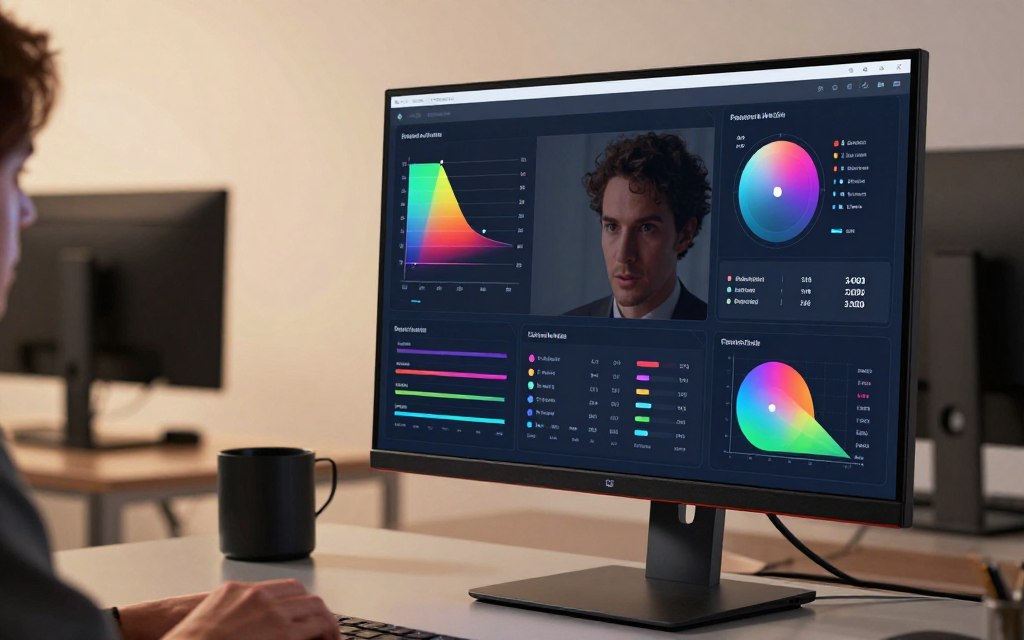
In conclusion, reviewing display specifications helps you make informed purchasing decisions. Consider screen resolution, refresh rate, and color accuracy together instead of choosing by resolution alone.
Connectivity and Network Specifications
Connectivity specifications shape how devices communicate with one another and connect to networks. They cover wireless standards, cellular compatibility, and physical connection options. Knowing these details helps people choose technology wisely.
Wireless Standards: Wi-Fi and Bluetooth
Wireless standards have changed greatly, with Wi-Fi and Bluetooth leading the way. Each version adds features that improve connectivity.
Wi-Fi 6 vs. Wi-Fi 6E vs. Wi-Fi 7
Wi-Fi 6, Wi-Fi 6E, and Wi-Fi 7 show major advances in wireless technology. Wi-Fi 6 uses 2.4 GHz and 5 GHz bands; Wi-Fi 6E adds 6 GHz for less congestion and higher throughput. Wi-Fi 7 promises greater speed and efficiency, making it ideal for future-proofing home or office networks.
Bluetooth 5.0 brought major improvements over earlier versions, including greater range and speed. It supports higher data rates and greater broadcasting capacity. Newer versions refine these features, making Bluetooth more reliable for connecting different devices.
Cellular Network Compatibility
Cellular network compatibility, including 5G compatibility, is vital for mobile devices. It helps smartphones and tablets connect to suitable networks based on location and carrier.
5G Sub-6 GHz vs. mmWave Technology
5G comes in two main forms: sub-6 GHz and mmWave. Sub-6 GHz provides broader coverage and suits general use, while mmWave delivers very high speeds over shorter distances. Knowing these differences helps users choose devices that meet their connectivity needs.
Ports and Physical Connectivity
Physical connectivity options matter as much as wireless standards. They determine how devices connect to accessories, displays, and charging equipment.
USB-C, Thunderbolt, and HDMI Standards
USB-C is a flexible connector shape that supports data transfer, charging, and other protocols. However, USB-C ports do not all provide the same capabilities. Thunderbolt enables faster data transfers and connects multiple devices through one port. HDMI standards support video output and high-quality display connections.
In conclusion, understanding connectivity specifications helps users choose devices wisely. As technology advances, staying updated helps ensure strong performance and compatibility.
Software Specifications and Compatibility
To get the most from your device, learn which software specifications it supports. A device needs more than strong hardware; it also needs compatible software. Check operating system requirements, application requirements, and firmware updates.
Operating System Requirements
Operating systems guide each device and control which software it can install. They also affect how that software performs. Each platform has its own requirements.
- Windows: Supports a wide range of applications but requires specific hardware configurations.
- macOS: Known for its stability, but compatibility is limited to Apple hardware.
- iOS: Offers a curated app environment, requiring devices to meet strict guidelines.
- Android: Provides flexibility but varies greatly across manufacturers.
Windows, macOS, iOS, and Android Compatibility
Each operating system has strengths and weaknesses. Windows may offer broader software compatibility, while macOS focuses on user experience and security. iOS apps are often more optimized, while Android offers greater hardware variety.
Application Compatibility and Dependencies
When choosing software, review its application requirements, including:
- Required processor architecture
- Available storage and memory
- Graphics support
- Permissions and dependencies (e.g., drivers, runtimes)
Many applications also need specific plugins or cloud accounts. These needs can make software compatibility harder to assess.
Firmware Updates and Long-Term Support
Firmware updates help protect device security and maintain its functions. These updates can:
- Fix bugs and improve performance
- Add new features
- Ensure compatibility with newer accessories
Before buying a device, research the manufacturer’s update policy, support period, and security-patch schedule. These details can strongly affect its longevity, performance, and long-term support.
“The only way to do great work is to love what you do.”
Battery and Power Specifications
Understanding battery specifications helps you choose devices that meet your daily needs. They show battery life and the technology behind power management.
Battery Capacity and Life Ratings
Battery capacity is often measured in milliamp-hours (mAh) and watt-hours (Wh). The mAh rating shows how much electric charge a battery can hold. The watt-hours rating measures energy and helps compare batteries with different voltages.
Capacity alone does not determine battery life. Display brightness, processor efficiency, and software workload affect how long a device lasts on one charge.
Understanding mAh and Watt-Hour Measurements
To make an informed choice, consider both mAh and watt-hours. A device with higher mAh may not outlast one with lower mAh if the latter has better power efficiency.
Charging Speed and Standards
Charging speed is another key part of battery specifications. Fast charging lets devices recharge more quickly, which is convenient for users. Understanding supported power levels and charging curves helps you use this feature well.
Fast Charging, Wireless Charging, and USB Power Delivery
Fast charging and wireless charging are now standard in many devices. USB Power Delivery supports faster charging through higher power levels with compatible cables and chargers. Both devices must support these standards for the best performance.
Power Efficiency Metrics
Evaluating power efficiency metrics is essential. These metrics show a device’s performance compared with its energy use. Rather than focusing only on maximum wattage, consider how well the device uses power.
Understanding battery and power specifications can improve your device experience. Consider capacity, charging standards, and efficiency to choose devices that fit your lifestyle.
How Specifications Impact Purchasing Decisions
Knowing how specifications shape buying technology choices matters in today’s tech-driven market. Smart choices can save money and improve your experience. This guide covers use-case comparison, cost versus performance, and ways to avoid specification overload.
Matching Specifications to Your Use Case
When buying technology, consider your specific needs. Different users need different features, so those needs should guide your purchase.
Gaming, Productivity, and Casual Use Requirements
For gamers, gaming specifications such as GPU performance, refresh rate, and cooling systems matter most. A quality graphics card and fast refresh rate can greatly improve the gaming experience.
Productivity users should choose productivity hardware with responsive CPUs, enough RAM, and long battery life. A quality keyboard and comfortable display also help during long work sessions.
Casual users, such as those who stream content or browse the web, may not need high-end specifications. Premium features often offer little noticeable benefit for everyday tasks.
Balancing Cost and Performance
Finding the right cost versus performance balance is vital. The latest technology may seem tempting, but consider its total value. Check the price, warranty, accessories, repairability, service life, and energy use.
A slightly older model may provide similar performance at a lower price. Reviewing these factors can lead to a more satisfying purchase.
Avoiding Specification Overload
Many available specifications can feel overwhelming. Avoiding specification overload means choosing a shortlist of must-have features. Focus on features that truly match your needs.
Focusing on Specifications That Truly Matter
When comparing products, prioritize features that improve your experience. Gamers should focus on graphics and refresh rates. For a work laptop, prioritize battery life and processing power.
Narrowing your focus helps you make informed decisions and avoid unnecessary expenses.
| Use Case | Key Specifications | Recommended Features |
|---|---|---|
| Gaming | GPU, Refresh Rate | Cooling System, High FPS |
| Productivity | CPU, RAM | Battery Life, Ergonomic Keyboard |
| Casual Use | Basic CPU, Display | Lightweight, Long Battery |
Common Specification Myths and Misconceptions
Technology specification myths can lead to poor buying decisions. Many consumers think higher specification numbers always mean better performance, but that is not always true. For example, a processor with more cores may not improve tasks using only one core.
Likewise, a camera with more megapixels does not guarantee better photo quality.
Higher Numbers Always Mean Better Performance
This myth is common among consumers who equate higher specifications with better quality. In reality, performance depends on how these specifications work together. A graphics card with higher wattage may consume more power without delivering better performance.
Marketing Claims vs. Real-World Performance
Marketing claims often feature impressive specifications to attract buyers. However, these claims can sometimes mislead consumers. For example, a product may excel in controlled testing but falter in real-world performance.
Thermal limits, software versions, and battery settings can greatly affect performance.
The Importance of Independent Benchmarks
Independent benchmarks provide a clearer picture of a product’s capabilities. These tests measure performance under consistent conditions, allowing fair comparisons during product testing. When evaluating technology, compare multiple sources and consider sustained performance rather than short bursts.
Also consider practical factors, including noise, heat, comfort, and software support.
Reading and Comparing Specification Sheets
Understanding how to read and compare specification sheets is crucial for making informed technology purchases. Use the right method to find specifications that match your needs. This specification sheet guide explains how to compare specifications with confidence.
Identifying Key Specifications for Your Needs
Begin by identifying your main tasks and the device’s purpose. Record only specifications that affect your use. For example, gamers should prioritize GPU and refresh rate, while content creators should check RAM and storage capacity.
Compare similar products carefully. Check units, model numbers, and regional variations before comparing products. Also review included accessories, storage configurations, display panels, and warranty terms.
Watch for unclear terms such as “up to,” “boost,” “professional-grade,” and “all-day battery.” Verify these claims with detailed testing or technical documentation. This step can prevent disappointment later.
Tools and Resources for Effective Comparison
Use various technology comparison tools online. Specification sites can show several products side by side. This view helps you find the best match for your needs.
Manufacturer manuals and operating-system compatibility pages offer useful details. They may reveal information missing from retail pages. For a broader view, read this specification sheet guide.
Consulting Expert Reviews and User Feedback
Expert reviews and verified user feedback can guide your decision. They show real-world performance that specifications cannot reveal. Choose reviews with benchmarks and user experiences for a balanced view.
A useful comparison combines specification data with hands-on evidence. Check return policies, service availability, and your own priorities. This approach helps you choose a product that meets your needs.
Conclusion
Technical specifications explained how a product is built, what it can do, and where it has limits. In a technology buying guide, connect these details to your specific needs.
Use device comparison to evaluate processors, memory, storage, displays, and connectivity. Battery life and software support also matter because they affect long-term use.
Match specifications to your budget and intended use. Do not chase the highest numbers or flashy marketing claims. Choose features that improve your experience and help your purchase meet expectations for years.
With the right approach, you can explore technology with confidence. This knowledge supports informed technology decisions and improves your digital life.